

Claris FileMaker
FileMaker Server Hosting You Can Rely On
A server that stays up, backs up, and doesn't need you to become a systems administrator.
A FileMaker solution is only as good as the server it lives on, and an awful lot of businesses discover this the hard way, usually on the one day it matters most. We provide managed FileMaker Server hosting for businesses across the UK, covering setup, security, backups, updates and the sort of ongoing monitoring that means problems get fixed before you ever notice them. From our base in Bicester we look after servers for clients who never have to think about server administration at all, which is rather the point. Over 25 years we've learned exactly what breaks and when, so we build hosting that avoids it in the first place.
Features and benefits
What you get

Proper backup regimes
Regular, tested backups, because a backup you've never restored isn't really a backup at all.

Security patched and current
Server software kept up to date against the latest known vulnerabilities, without you needing to track it yourself.
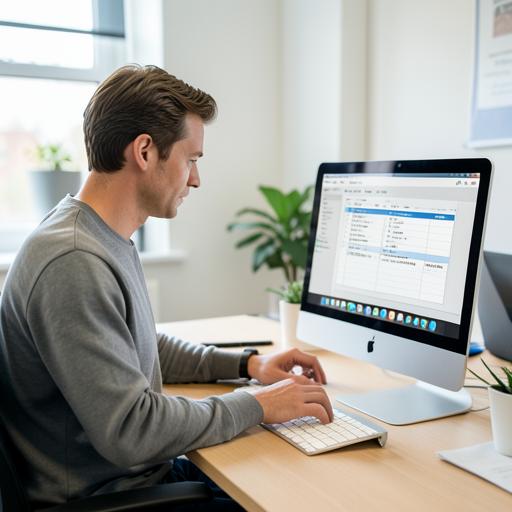
WebDirect and remote access
Your team can access FileMaker solutions from browsers or remote devices securely, wherever they're working.
Performance monitoring
We keep an eye on server load and response times so slowdowns get caught before your team starts complaining.

UK-based support
Real people, on the phone, who understand FileMaker, not a ticket queue that vanishes into a time zone six hours away.
Scales as you grow
Hosting sized to your current needs, adjusted as your user count or data volume increases.
Expert insight
Hosting is not something to leave to chance
We've lost count of the businesses that came to us after a server failure wiped out days of work because backups either didn't exist or hadn't been tested. It's an entirely avoidable situation, and yet it happens constantly, because server administration is the sort of job that only gets attention once something's already gone wrong.
Proper FileMaker Server hosting isn't complicated in principle: keep it patched, back it up properly, monitor it, and have someone who knows what a healthy server looks like paying attention. The trouble is that most businesses have neither the time nor the specialist knowledge to do that alongside everything else they're responsible for.
Hand it to people who do this daily and it stops being a risk and becomes background noise, which is exactly where server administration belongs.
How we do it
Six steps to implementation
- 01
Server assessment
We review your current setup, or design a new one from scratch if you're starting fresh.
- 02
Configuration
We set up FileMaker Server with the right security, access controls and performance settings for your solution.
- 03
Backup setup
We configure automated, tested backup routines, both on-site and off-site where appropriate.
- 04
Migration
We move your existing solution to the new server with minimal disruption and a proper rollback plan.
- 05
Go-live monitoring
We watch closely in the days after go-live to catch anything the migration might have missed.
- 06
Ongoing management
Patching, monitoring and support continue for as long as you need us, quietly, in the background.
25+
Years hosting FileMaker servers
99%+
Typical uptime target
UK-wide
Hosted clients supported
Questions
Frequently asked
Can you host our existing FileMaker solution?+
Yes, we migrate existing solutions onto properly managed FileMaker Server hosting without needing to touch the underlying database design. The move is typically done on a test copy first, so we can prove everything works correctly before switching your live system across. That means no rewriting scripts or redesigning layouts purely to change where the file lives. Once hosted with us, it gets the same patching, backup and monitoring regime as anything we build from scratch.
How often are backups taken?+
Backup frequency is set to match how critical your data is, typically multiple times a day, with retention periods chosen to suit your business rather than a generic default. We also test restores periodically, because a backup that's never been proven to restore isn't a backup you can actually rely on. Both on-site and off-site copies are standard practice for anything we manage. It's the sort of detail that only matters once, but matters enormously when it does.
What happens if the server goes down?+
We monitor FileMaker Server hosting actively and respond quickly, with a UK-based team you can actually reach on the phone rather than a ticket queue somewhere overseas. Proactive monitoring means most issues get caught and addressed before your team even notices a problem. Where something more serious happens, our backup and recovery processes are designed to get you back up with minimal data loss. That combination of prevention and rapid response is exactly what managed hosting is meant to deliver.
Can remote staff access a hosted solution?+
Yes, via WebDirect in a browser or FileMaker Go on mobile devices, both configured securely as part of the hosting setup. That means your team can work from home, from a client site, or from a phone in a van without needing a VPN or anything complicated. Access permissions are set per user, so remote working doesn't mean loosening security. It's a genuinely practical way to extend a FileMaker solution beyond the office.
Do you support businesses outside Oxfordshire?+
Yes, FileMaker Server hosting and support are delivered to clients across the entire UK, almost all of it handled remotely and reliably. Being based in Bicester doesn't restrict our coverage, it's simply where the team is based day to day. Most hosting relationships never require an on-site visit at all. Wherever you are in the UK, the same monitoring, backup and support standards apply.